Change of Address Instructions - Parent Portal
Step-by-step Guide for the Change of Address Application
Step 1. Log into your Infinite Campus Parent Portal Account. The link to the Portal can be found under “Parent Resources” on the district Website or by entering https://portal.swcsd.us/campus/portal/southwestern.jsp
Step 2. At the bottom of the index on the left hand side of your screen, click on “More.”
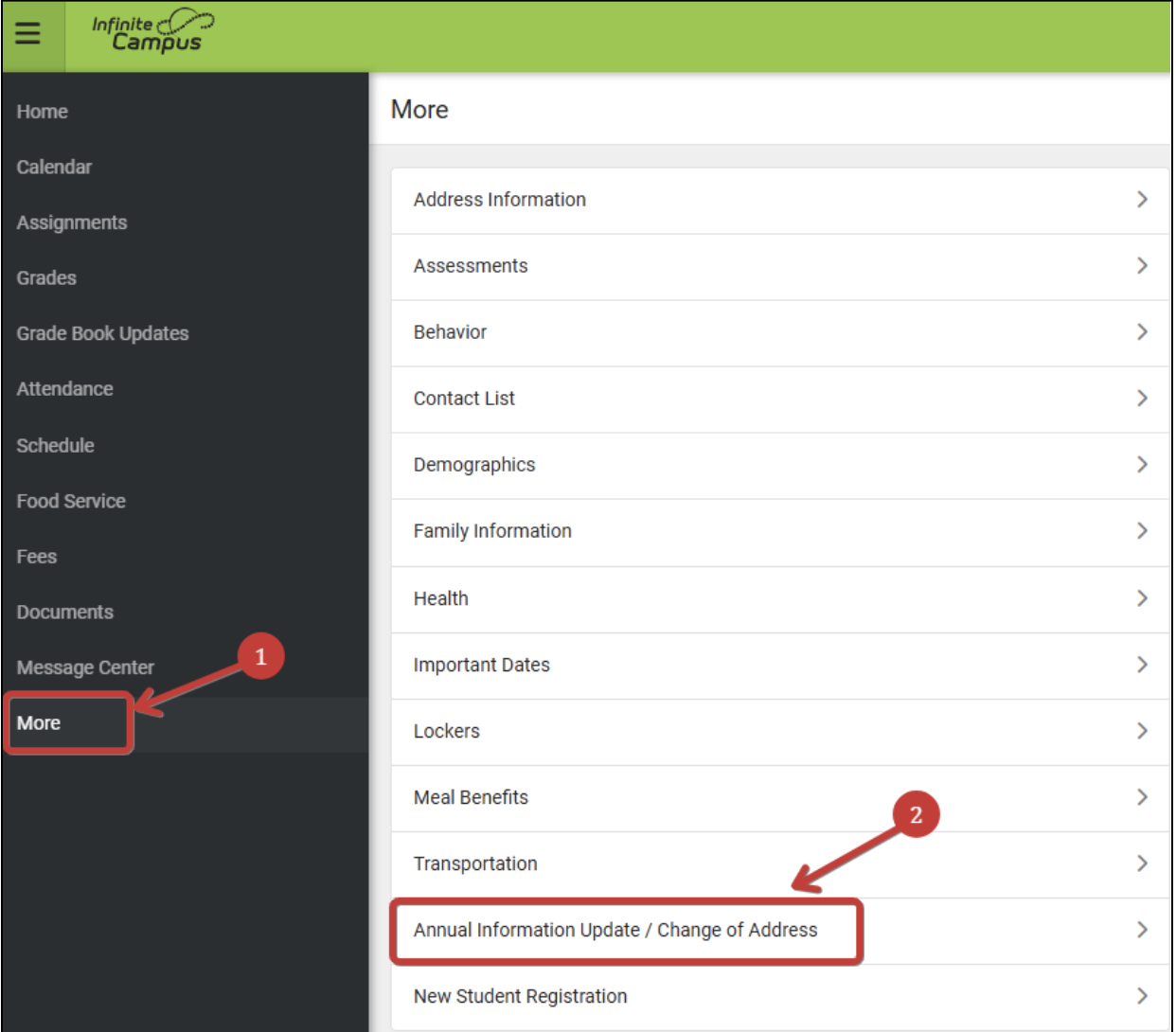
Step 3. In the center of the next window, click on “Annual Information Update / Change of Address.” 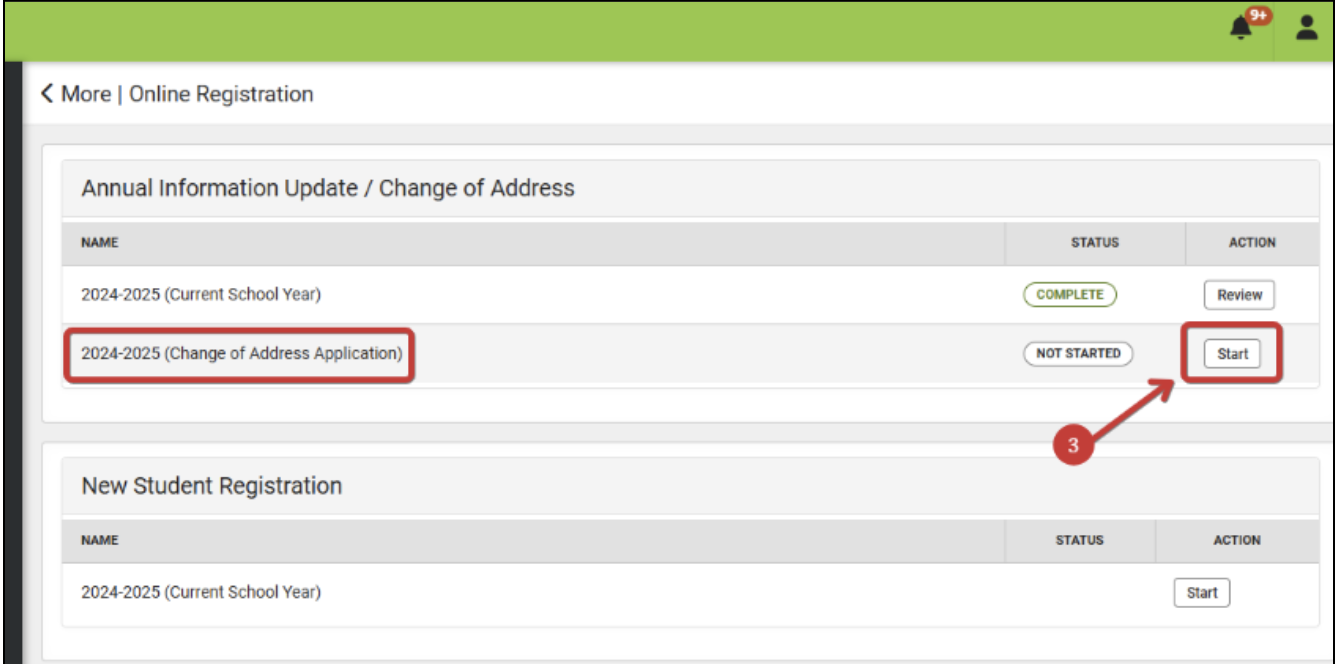
Step 4. From the list on the next screen, under the “Annual Information Update / Change of Address” section, select ‘####-#### (Change of Address), where the ####-#### reflects the start year and end year, by clicking ‘Start’ or ‘Continue’ in the right column.
Step 5. A list of your children will appear. Click ‘Begin Registration’ then select English or Spanish. Type your name in the box and click ‘Submit’.
Step 6. Click through each section, starting with Household. Continue to click ‘Next’ and ‘Save/Continue.’ Items highlighted in Yellow require action on your part. 'Next' will take you to the next screen/tab within that section. 'Save/Continue' will take you to the next section or student. Please ensure that the data is correct.
Step 7. When all students are updated, “Save/Continue” will take you to the Completed screen. Click “Submit” to send the information to the enrollment center for review. You will receive an email from [email protected] when the process is complete.
For assistance with logging into your Parent Portal account, please contact your student’s school.